
Text Templates
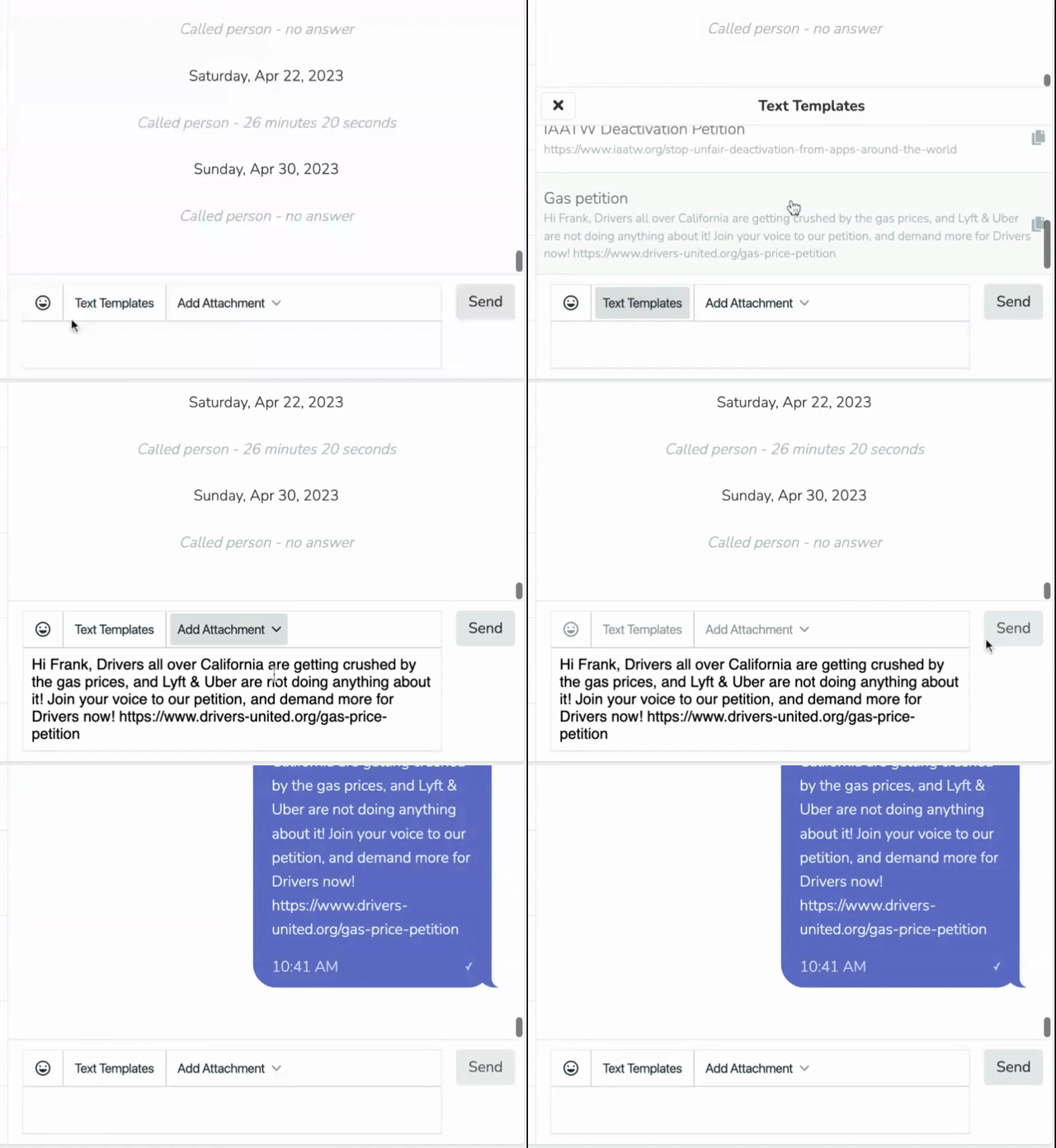
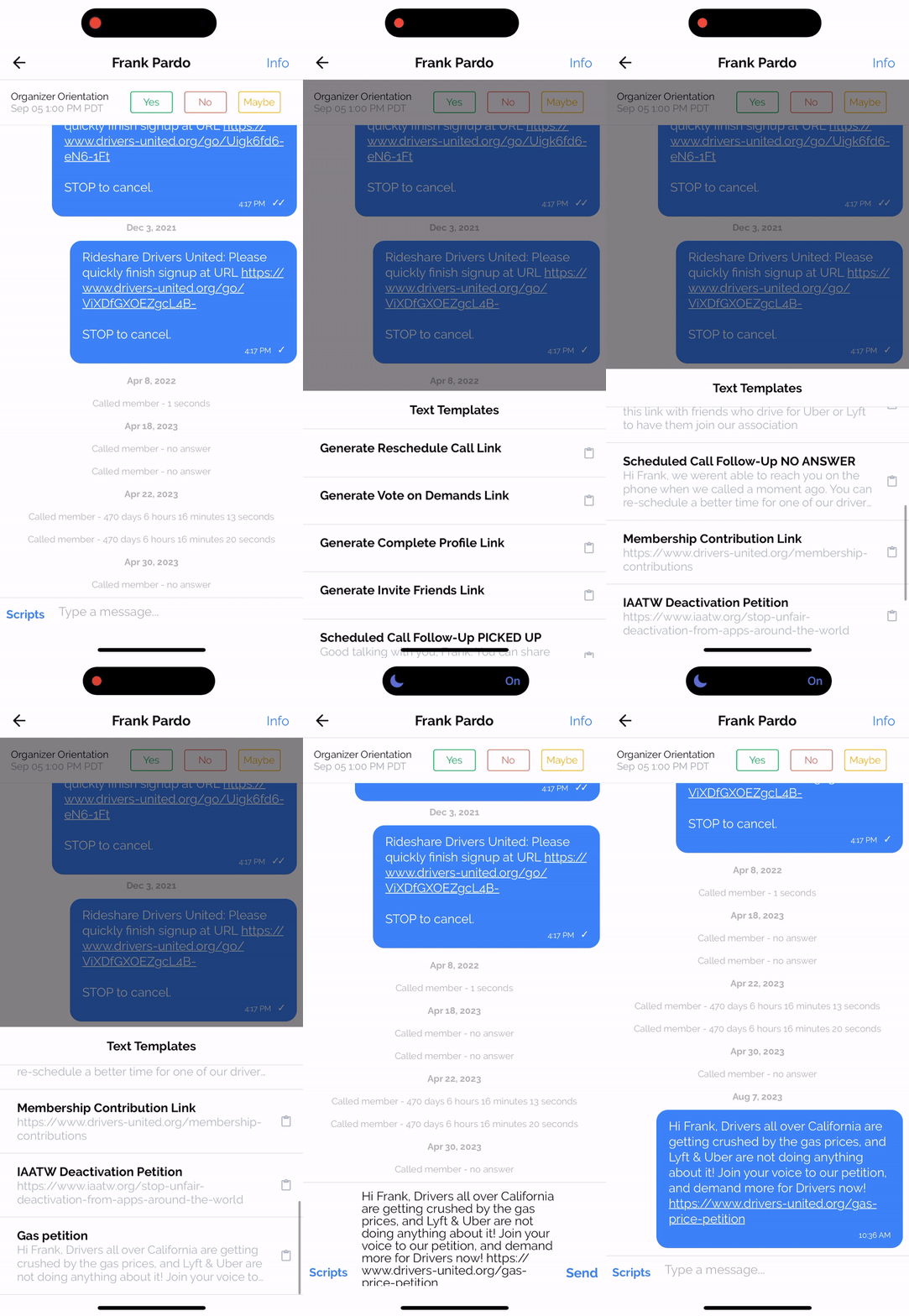
Text Templates are scripted text messages that your Team Members can easily send from the dashboard or mobile app. Templates can use Merge Tags to personalize the message for the intended recipient.
There are two types of Text Templates, and they differ in where they are visible.
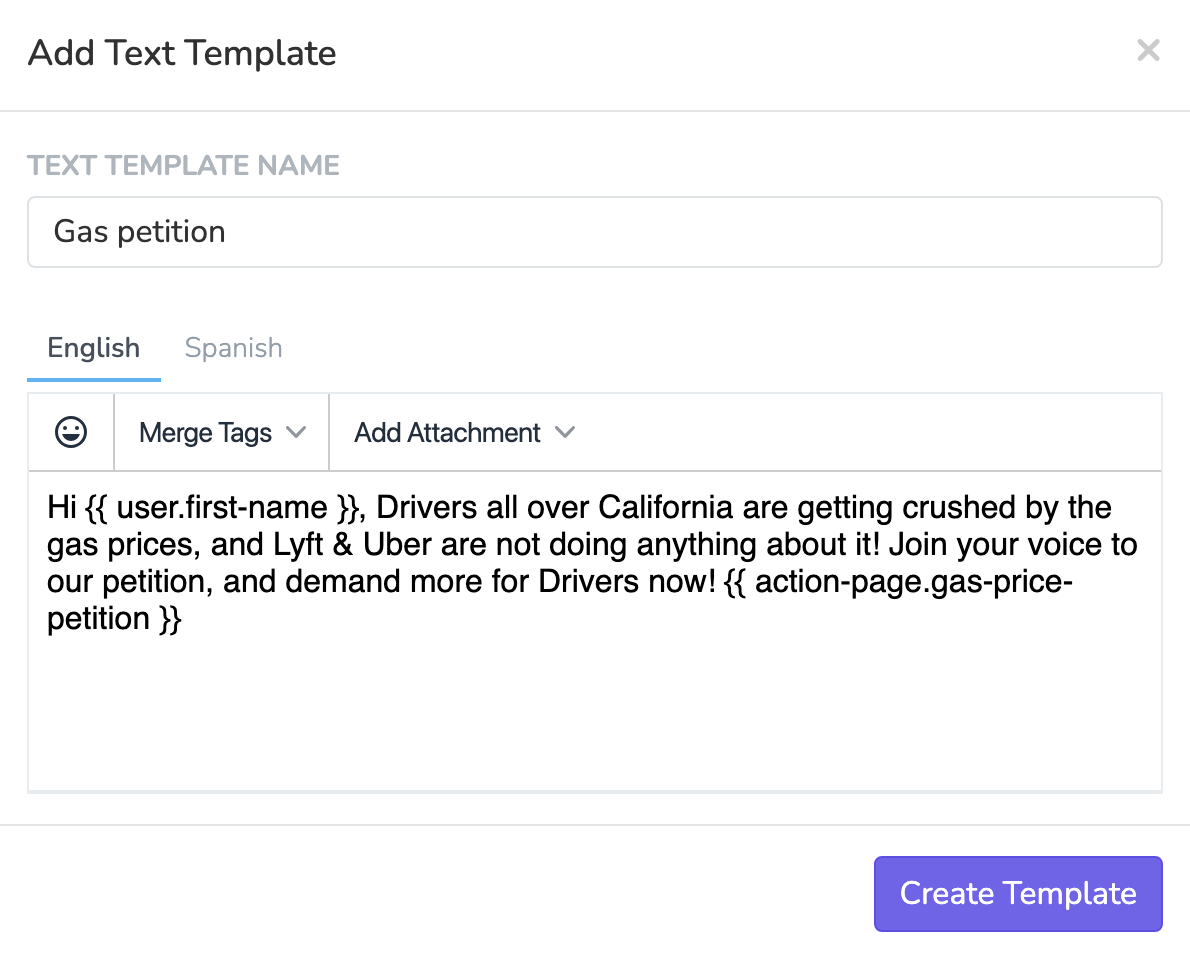
Global Text Templates
Global Text Templates are created under Settings > Text Templates. These templates are visible everywhere: in the Text Inbox on the dashboard, in Phonebanks, in Textbanks, and in the mobile app.
If you want a template to be available to your team in all contexts, create it here.
Archiving and unarchiving templates
You can archive a Global Text Template to remove it from circulation without permanently deleting it. Archived templates are hidden from all sending surfaces but can be restored later from the Archived tab under Settings > Text Templates.
Plan limit applies to unarchiving: Your plan includes a maximum number of active Global Text Templates. Archived templates do not count toward this limit, but unarchiving a template will be blocked if you are already at your plan's limit. To unarchive, you must first archive another active template to free up a slot.
Event Text Templates
Event Text Templates are created under a specific Event > Automations > Text Templates. These templates are only visible when a Team Member is working from a Phonebank or Textbank that belongs to that specific event. They will not appear in the general Text Inbox or in other events.
This is useful when you have messaging that only applies to a specific event, like event logistics, confirmations, or follow ups that reference event details.
Common question: "I created a text template in an event but I can't see it in the Text Inbox."
This is expected. Event Text Templates are scoped to that event's Phonebanks and Textbanks. If you want the template to be visible in the Text Inbox and across all events, create it under Settings > Text Templates instead.
Sending from dashboard
Sending from mobile app
Updated about 1 month ago