
Email Legislator
Email Your Legislator Pages
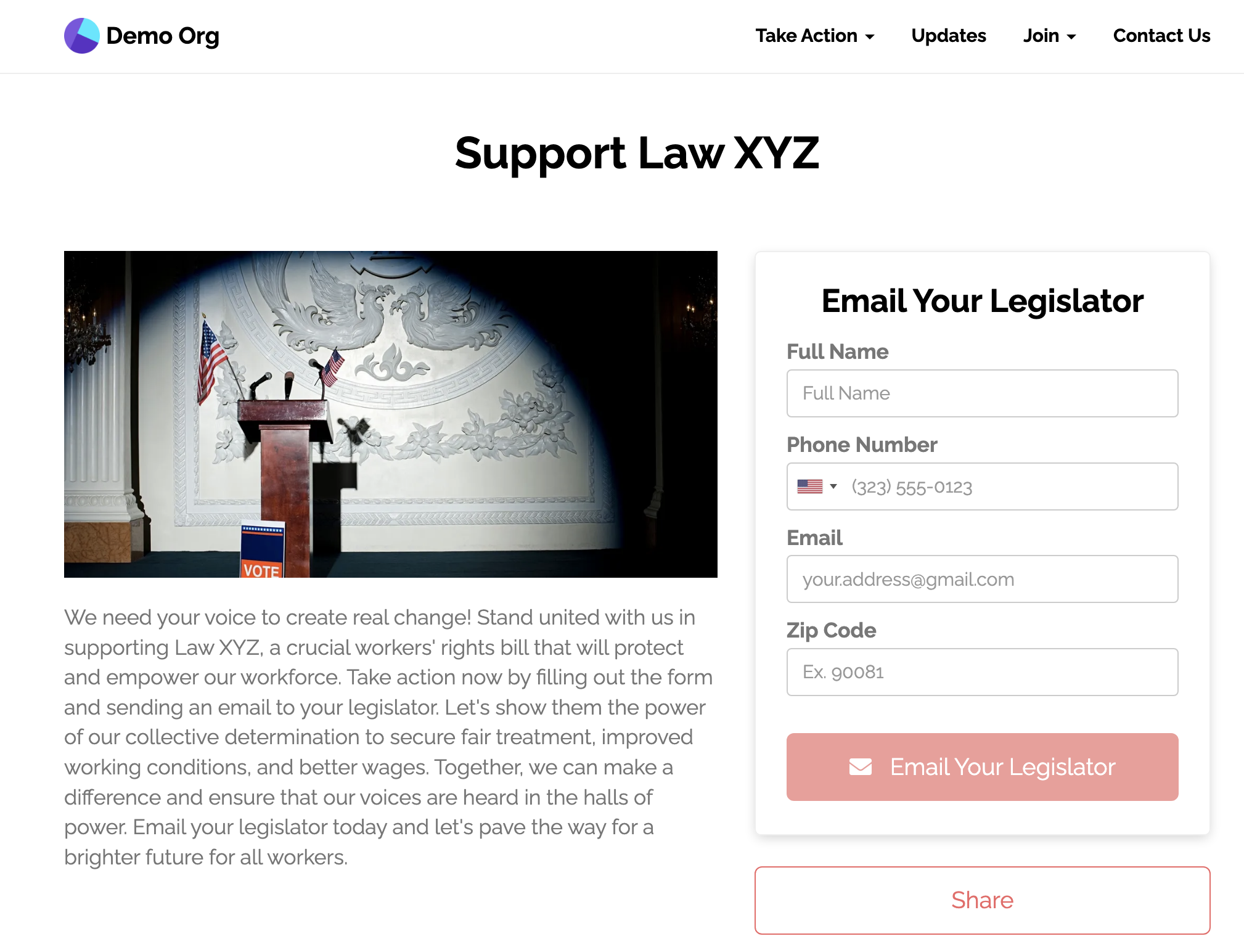
Email Your Legislator Pages let your supporters email a pre-drafted, customizable message to their local legislator.
At the moment, we support emailing legislators for:
- Federal: US House of Representatives and US Senate (full coverage)
- State: 49 state legislatures and Puerto Rico, but not Nebraska. Some chambers do not accept email: Idaho House, Maryland House of Delegates, Minnesota House, New Hampshire House, Vermont House, New Mexico, and Puerto Rico.
- Local: the city councils of Chicago, Dallas, LA, Providence, and San Antonio, the Milwaukee Common Council, and the LA County Board of Supervisors. Organizations in Canada see only the Ottawa City Council.
Our support team does not add new legislatures on request. To target a legislature that is not listed, you can add your own with Custom Legislative Districts on the Professional and Enterprise plans.
An Email Legislator page requires email, full name, and full address. When you target the US House or the US Senate, it also requires phone number and prefix.
Choose legislature

Choose the legislatures that you want to target. The page finds the location of each supporter's full address. The message goes to the legislators whose districts contain that location. If no district contains it, the page tries the center of the supporter's zip code. If that also fails, the supporter sees "Sorry, there are no legislative targets available from your zip code."
Legislature Selection Rules
Important: You can select up to 3 legislatures for your email campaign.
Examples of valid selections:
- US House of Representatives
- US House of Representatives + US Senate (federal campaign)
- California State Assembly + California State Senate
- US Senate + California State Senate + LA County Board of Supervisors
- Any combination of federal, state, county, or city legislatures (up to 3 total)
Need a legislature we don't already have? On the Professional and Enterprise plans you can add your own by uploading a GeoJSON boundary file under Settings > Legislative Districts. Once a set is imported and its Allow emailing these representatives toggle is on, it appears here as a selectable target. See Custom Legislative Districts for the full setup and file format.
Legislator Lookup Blocks
When a supporter picks their address using the address autocomplete field, the form can dynamically show which legislators will receive their message — including each legislator's name, title, and district — before the supporter submits.
To add this to your form, open Add New Form Field in the form editor. Pick Add Text, Images, Headers, & Links... in the Text & Formatting group. Put one or more legislator merge tags in that HTML block:
| Tag | What it shows |
|---|---|
{{ legislator.full-name }} | The first matched legislator's full name |
{{ legislator.title }} | Their title (e.g. "Senator", "Representative") |
{{ legislator.district }} | Their district identifier |
{{ legislators-list }} | A plain-text sentence listing all matched legislators (e.g. "Senator Jane Doe and Representative Chi Ossé") |
Example HTML block:
<p>Your message will go to {{ legislators-list }}.</p>When a supporter picks their address, the block updates in place to show the matched legislators. If no legislators are found for that address, the block is hidden automatically. The block is also hidden until an address is picked, so it never shows empty content.
Default block included: New Email Legislator pages include a recipients block like the example above by default. You can edit, move, or delete it from the page editor.
The {{ legislator.title }} tag resolves to the appropriate title for the legislator's chamber, such as "Senator", "Representative", or "Councilmember". You can use {{ legislator.full-name }}, {{ legislator.title }}, and {{ legislator.district }} inside your email message template to address each legislator by name.
How the block behaves
- To insert a tag, open Merge Tags, then Legislator, in the HTML block editor. All Recipients inserts
{{ legislators-list }}. {{ legislator.full-name }},{{ legislator.title }}, and{{ legislator.district }}show the first legislator, in the order you picked the legislatures.- A recognized member whose record has a saved location sees the block filled in when the page loads. A saved address or a saved zip code gives that location.
- If the person edits their street, state, or zip after they pick an address, the block hides again. The message still goes to the legislators for the address they submit.
- If the address is outside every legislature you picked, the form shows "We couldn't find a legislator for this address. You can still submit the form." under the address.
- On a form that asks only for a zip code, visitors the form does not recognize never see the block. A recognized member with a saved location sees it until they change the zip code.
- Liquid filters and comparisons do not work on legislator tags.
{% if legislator %}is always true on the page, so its{% else %}branch never shows. - In the form editor preview, the block fills in after you pick an address in the preview.
How Message Delivery Works
Our system uses different delivery methods depending on the legislature you select:
Federal Legislatures (US House & Senate)
US House of Representatives:
- Uses the Communicating with Congress (CWC) API for direct, official delivery
- Requires additional federal contact information fields
- Messages are delivered through official congressional communication channels
US Senate:
- A Senate office gets the message through the CWC API only when our legislator data marks that office for CWC. Today no Senate office has that mark, so every Senate message goes through CongressForms.
- Fallback method: CongressForms automation - automatically fills out and submits the senator's official website contact form when CWC is not available
- CongressForms fills in and submits each senator's website contact form.
State, County, and City Legislatures
Email Delivery:
- Messages are sent directly to legislators' email addresses in our database
- By default, your supporter's email is included in the "Reply To" field so legislators can respond directly
- Important: Email delivery success depends on having current, working email addresses for legislators
Delivery Reliability & Testing
Testing Recommended: We strongly recommend testing your Email Legislator page with your target legislature before launching your campaign to ensure:
- All targeted legislators have working email addresses
- Messages are being delivered successfully
- No technical issues with the specific legislature
Potential Issues:
- Some legislators may have changed their email addresses
- Some legislative bodies may have updated their policies to block automated emails
- Email addresses in our database may become outdated
If you encounter delivery issues: Contact [email protected] with:
- The specific legislature and legislators affected
- Any missing or outdated email addresses you've discovered
Delivery Methods
Next you can select the delivery method:
- None: Emails won't be sent to the legislators.
- Individual: Emails will be sent to each legislator individually.
By default, email messages delivered individually attach the supporter's email address in the "Reply To" field, so any email replies will be sent to them.
Federal-Specific Requirements
When targeting federal legislators (US House or Senate), additional organization information is required:
- Organization Contact Name: Primary contact person for your organization
- Organization Contact Email: Official email for your organization
- Organization Contact Phone: Phone number for your organization, in any format with at least 10 digits.
- Organization Name: Full legal name of your organization
- About Your Organization: Brief description (minimum 50 characters)
- Library of Congress Topics: Select relevant policy topics for proper categorization
These fields ensure compliance with federal communication requirements and help House offices properly categorize and route your messages.
Alternative messages
You start by composing a default message that will be sent to all legislators. This is the main message - which will typically be encouraging legislators to support specific action or piece of legislation.
You can add additional messages if you want to target particular legislators with alternative messages (e.g. thank some legislators for supporting a policy, while encouraging holdovers with a separate message). Click the Add Alternative Email button below your messages. Add as many alternative messages as you need. In each one, select the legislators who get it instead of the default message.
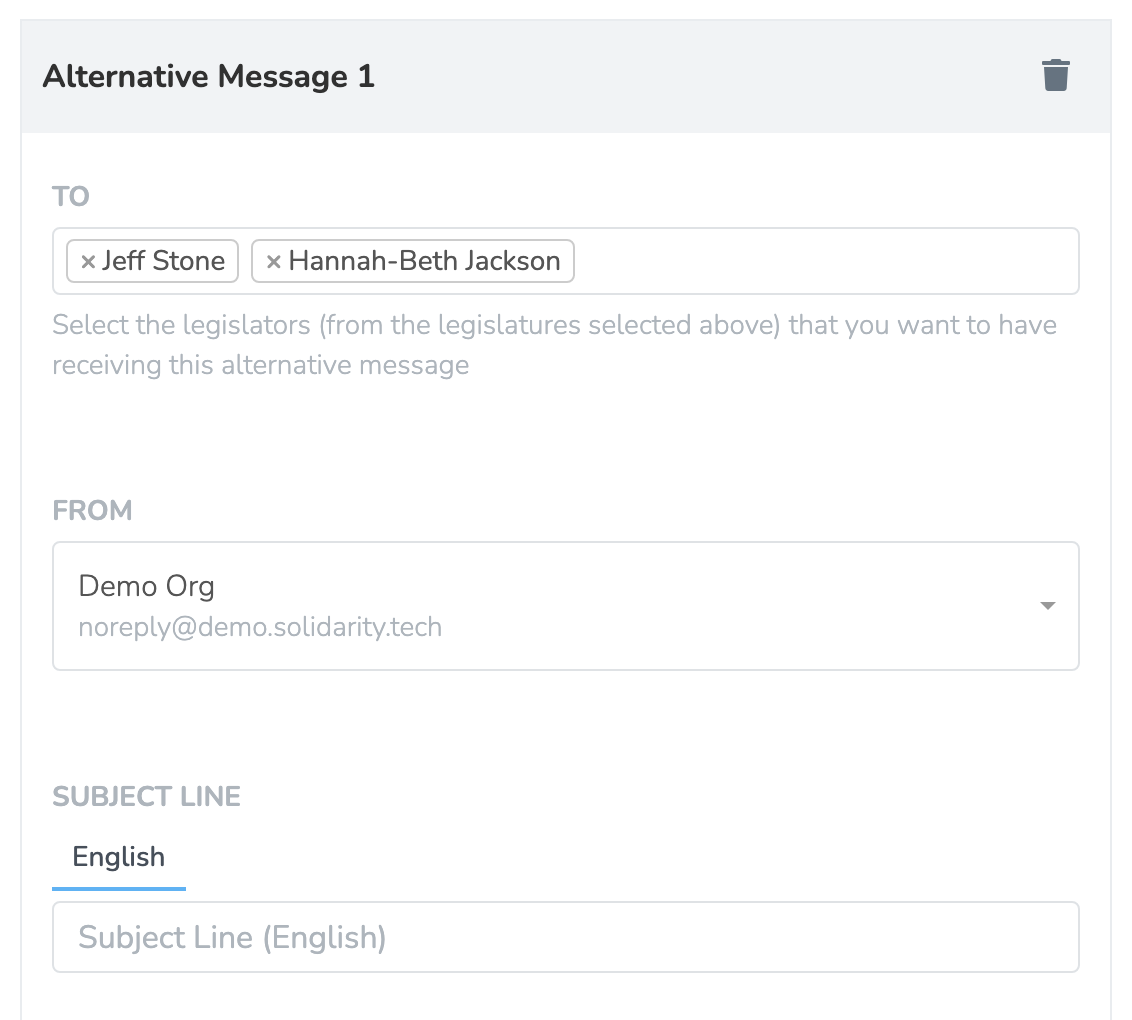
Alternative messages are optional, but you may want to consider whether all legislators within the targeted legislature ought to be receiving the same default message.
Allowing Users to Customize Messages
By default, your supporters will send the exact message you draft to legislators. However, you can allow supporters to personalize the message before sending it, which can increase authenticity and engagement.
How to Enable Message Customization
Step 1: Add a Multiline Text Field
In the form editor, open Add New Form Field. Pick Multiline Text under Custom Form Fields and Keyboard Entry. Give the field these settings:
- Name / ID: Open Extra options to set it. Choose a descriptive name (e.g.,
user-message,custom-message,personal-note). You use this name in the merge tag in Step 2. - Preset Value: Enter your default message text that users can edit. It can include member merge tags such as
{{ user.first-name }}, which fill in for members the form recognizes (see Preset values and merge tags) - Editable: Ensure this is set to
true(enabled) - Label: Something like "Your Message" or "Customize Your Message"
Step 2: Use the Field in Your Email Template
In your email message to legislators, insert the field using liquid template syntax with the field name you chose:
Hi {{ legislator.title }} {{ legislator.full-name }},

  {{ user-message | newline_to_br }}

Sincerely,
{{ user.full-name }}
{{ user.zip-code }}
The {{ legislator.title }} tag resolves to the appropriate title for the legislator's chamber, such as "Senator", "Representative", or "Councilmember".
How it works:
- Your supporters see the form with the pre-filled message (your preset value)
- They can edit and customize the message as desired
- When they submit, their customized message is sent to the legislator
- The
{{ user-message }}tag in your email template is replaced with their custom text. State and local emails lose the supporter's line breaks unless the tag is{{ user-message | newline_to_br }}.
Example Use Cases:
- Allow supporters to add personal stories about how an issue affects them
- Let supporters explain why they care about the legislation in their own words
- Enable supporters to add additional context specific to their district
Note: You can have multiple customizable text areas in a single form, each with its own field name and liquid tag.
Technical Implementation
Our Email Legislator system is powered by:
- CWC API Integration: Official congressional communication channels
- CongressForms Library: Automated form submission for senators without CWC support
- Direct Email Delivery: Email delivery for state and local legislators
- Geographic Targeting: The page matches the location of the supporter's full address to legislative district boundaries. It uses the zip code only when the address matches no district.
For technical questions or integration support, contact [email protected].
Updated 6 days ago