
People
People represent the individuals in your organization/campaign.
For product overview, visit our Membership Management Software page.
Each Person belongs to one primary Chapter (and optionally multiple secondary Chapters on Standard plan or higher), and can have one primary phone number and email. Two people in your organization cannot have the same primary phone number. A secondary phone number can match another person's primary number, and two people can share an email address. An import can match an existing person by phone number or by email.
Anytime a Person submits a form from one of your websites, the Properties and Custom Properties from the latest form submission will update the Person record.
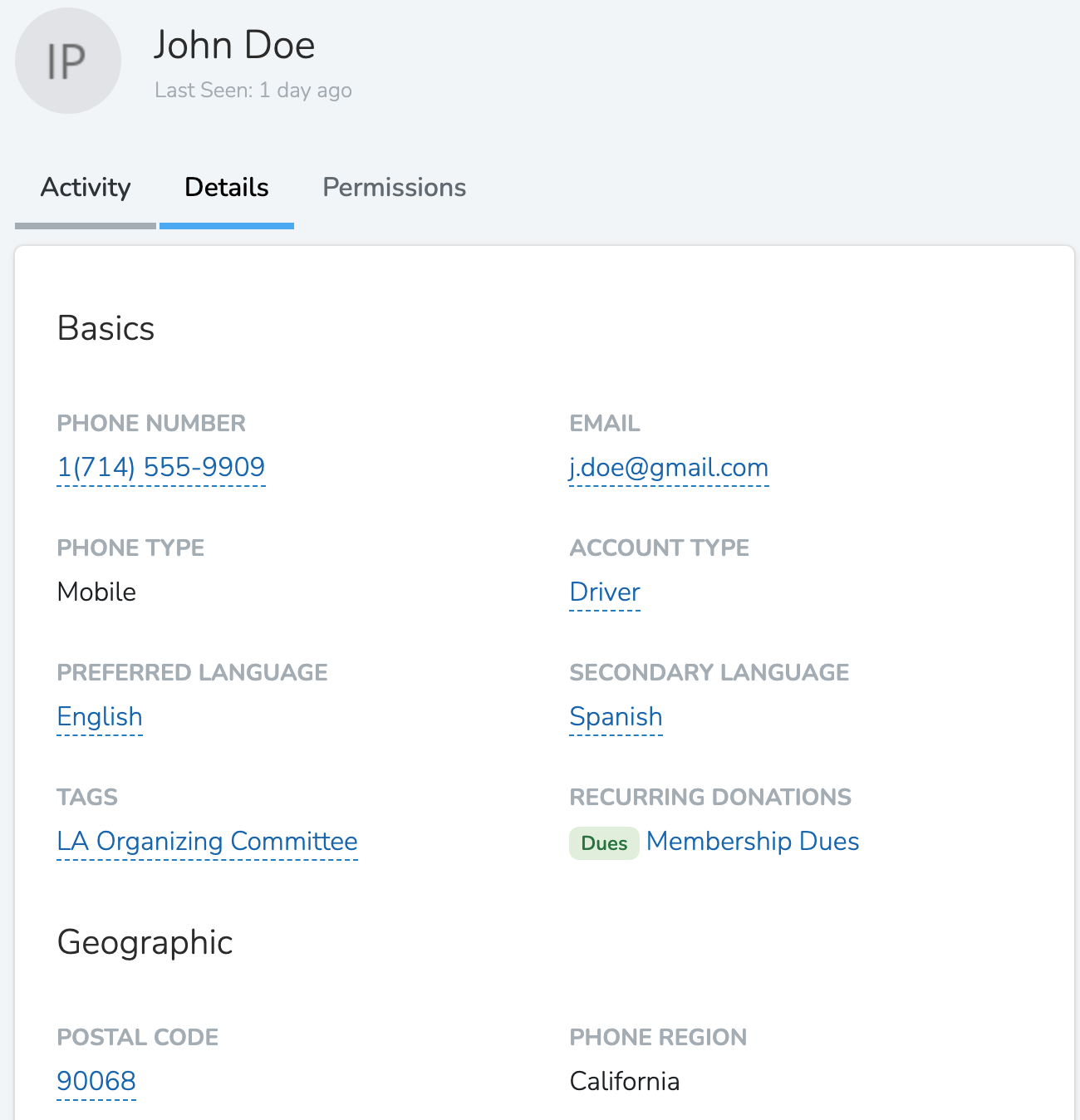
Every Person has a set of fixed Properties, and additional Custom Properties specific to your organization. Team members see these values on the person's profile in the dashboard and in the Solidarity app. Protected properties show only to team members whose role has View Protected Properties.
Activity Stream
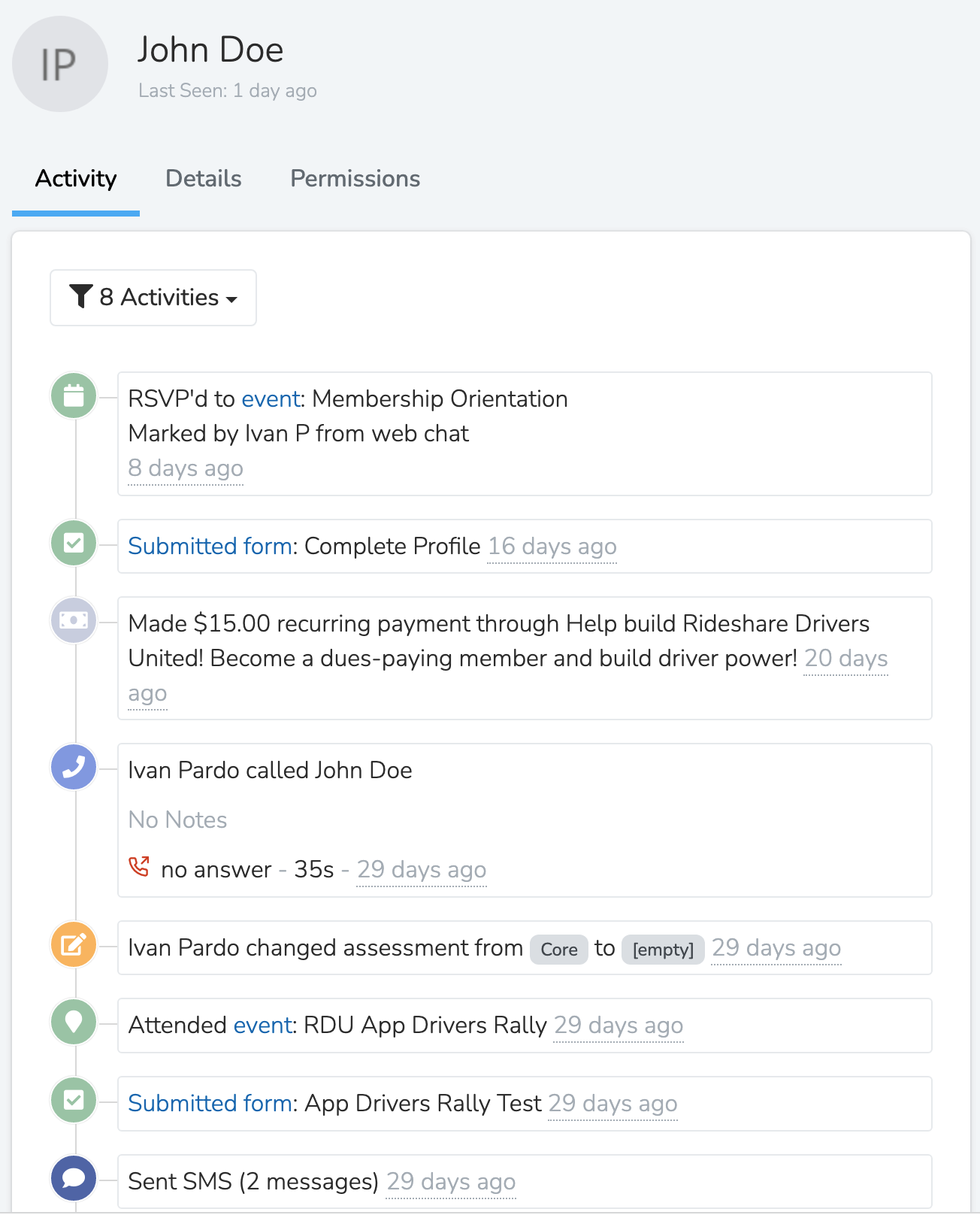
The activity stream shows every interaction a Person has had with your Organization. These include form submissions, texts, calls, read emails, page visits, donations, friends invited, and opt-outs, in addition to notes or actions created by a Team Member.
Working with Your Data
- Filter and segment your people using dozens of filter options
- Import people from CSV files
- Export your data in CSV or JSON format
Printer-Friendly Layout
You can print a clean copy of your People list, for example for sign-in sheets, phone lists, or any time you need a paper copy.
To access it, apply any filters or column selections you need. Then open the More menu (the ... button) and click Printer-friendly Layout. It opens in a new tab with a simplified table that matches your current columns, filters, and sort order. Up to 250 people are shown per page.
Note: The Printer-friendly Layout is not available in the grouped list view. Switch to the standard list view to access it.
This feature requires the View Printer-Friendly Layout permission. If you don't see the option, ask your organization admin to enable it for your role.
Updated 10 days ago